


Friends News -
For many GuppY users, the question of which offer to choose arises. the vast majority of cases, the Grow offer is sufficient to run one or more sufficient to run one or more GuppY sites.
Unlike the Unlike the Cloud and Pro packages, ‘lunes’ sub-accounts do not have do not benefit from dedicated resources and share the resources of the main account.
The 250 GB NextCloud instance is not included with a Grow package.
Attention :
Do not check the automatic renewal option.
To switch from a Cloud offer to a Grow offer, you must have received the email telling you that you have 30 days left to renew your hosting!!!
You cannot choose Grow if your hosting expires in more than 30 days.
Choosing the Grow package means renewing to a lower package. offer, the price to be paid is that of the Grow offer and the application is on the hosting expiry date.
If your hosting expires on 30 June 2025, you are in the choice period and the offer will apply on 30 June 2025.
Here's how to choose the Grow offer:
Go to your o2switch customer area. Once you have logged in, you will be taken to the home page.
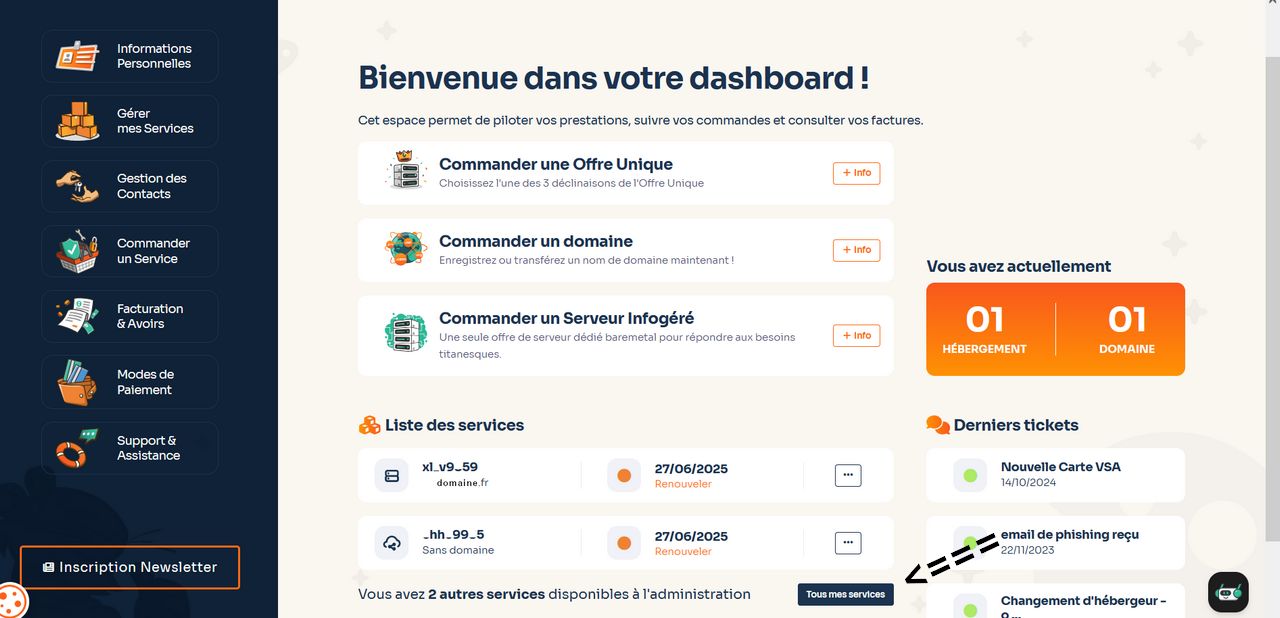
Click on the ‘All my services’ button.
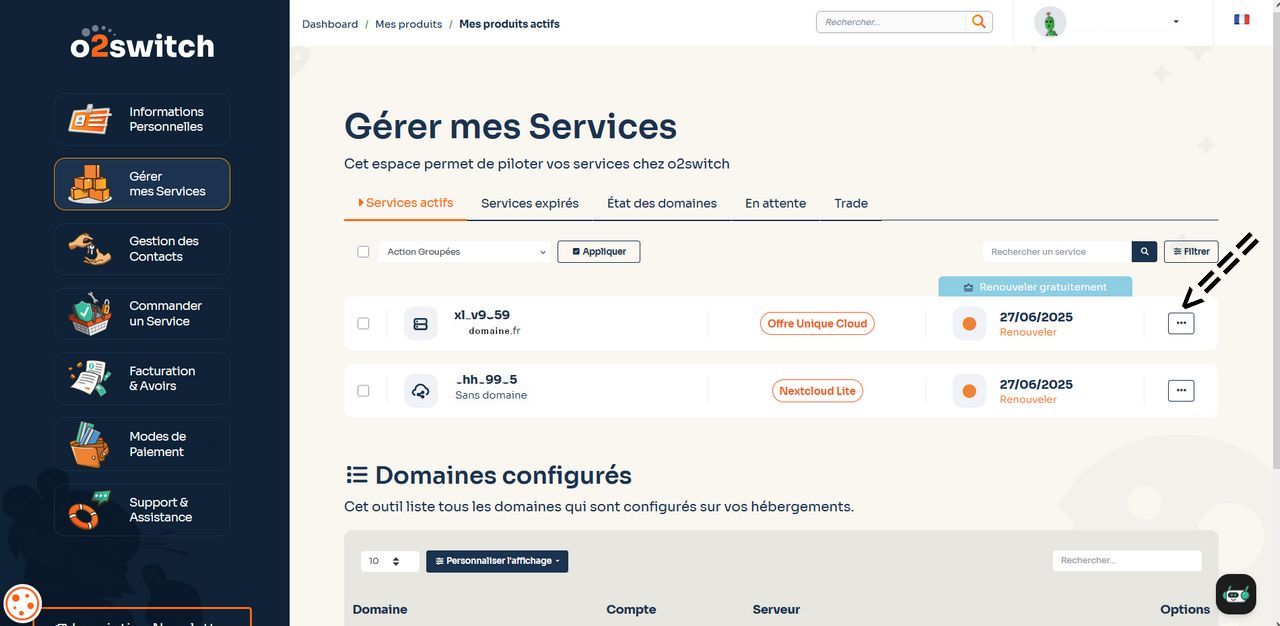
On the right, click on the button with the 3 dots.
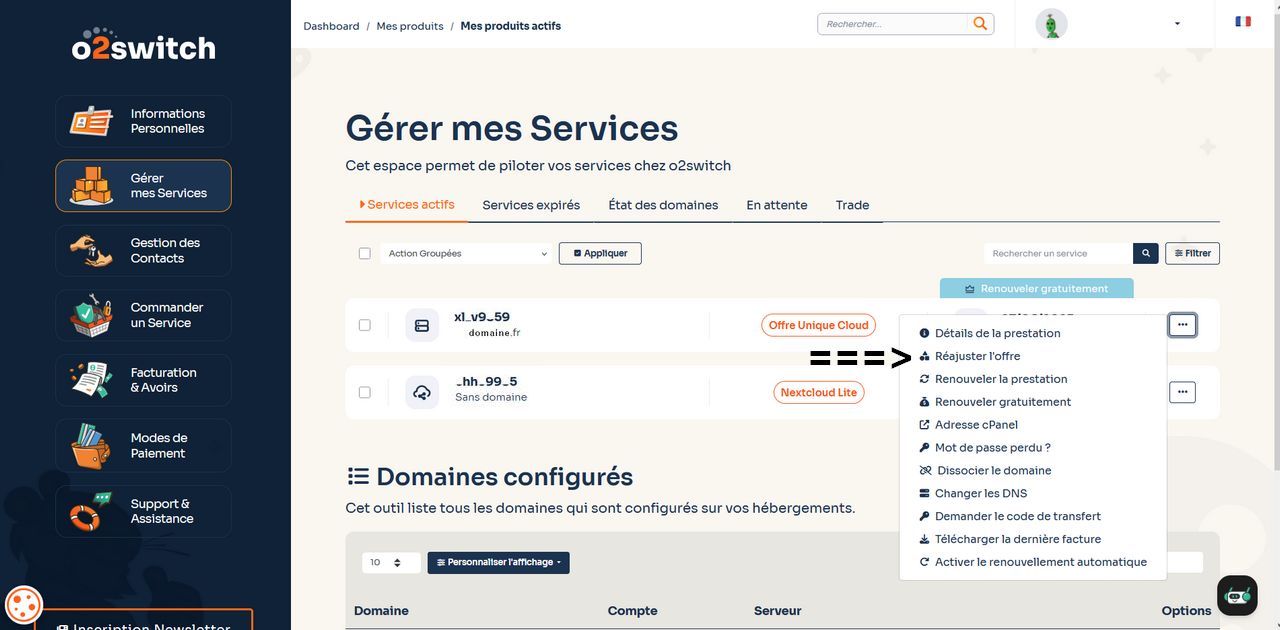
Then the choice of offer:
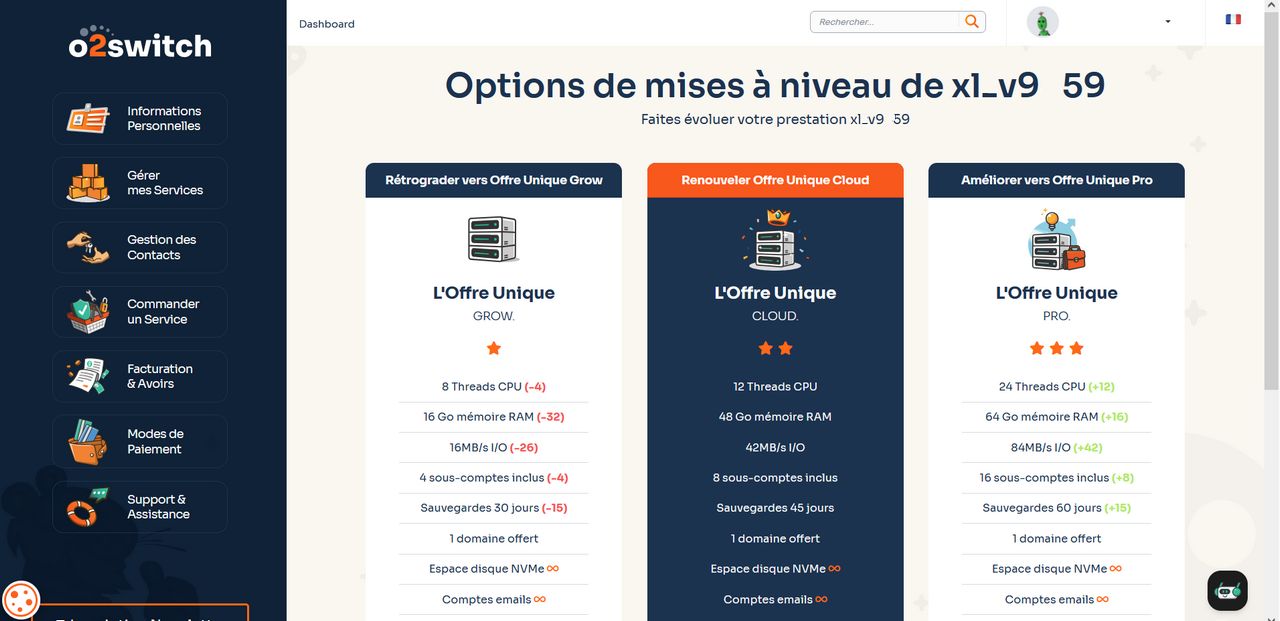
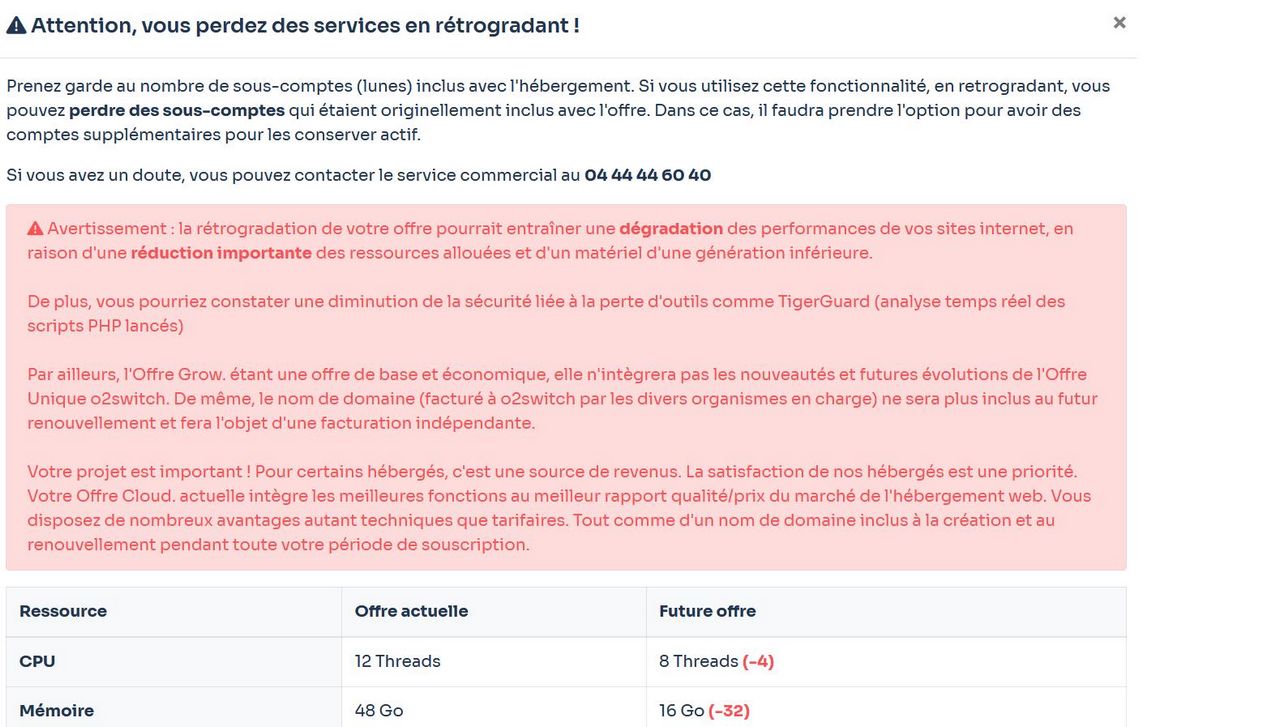
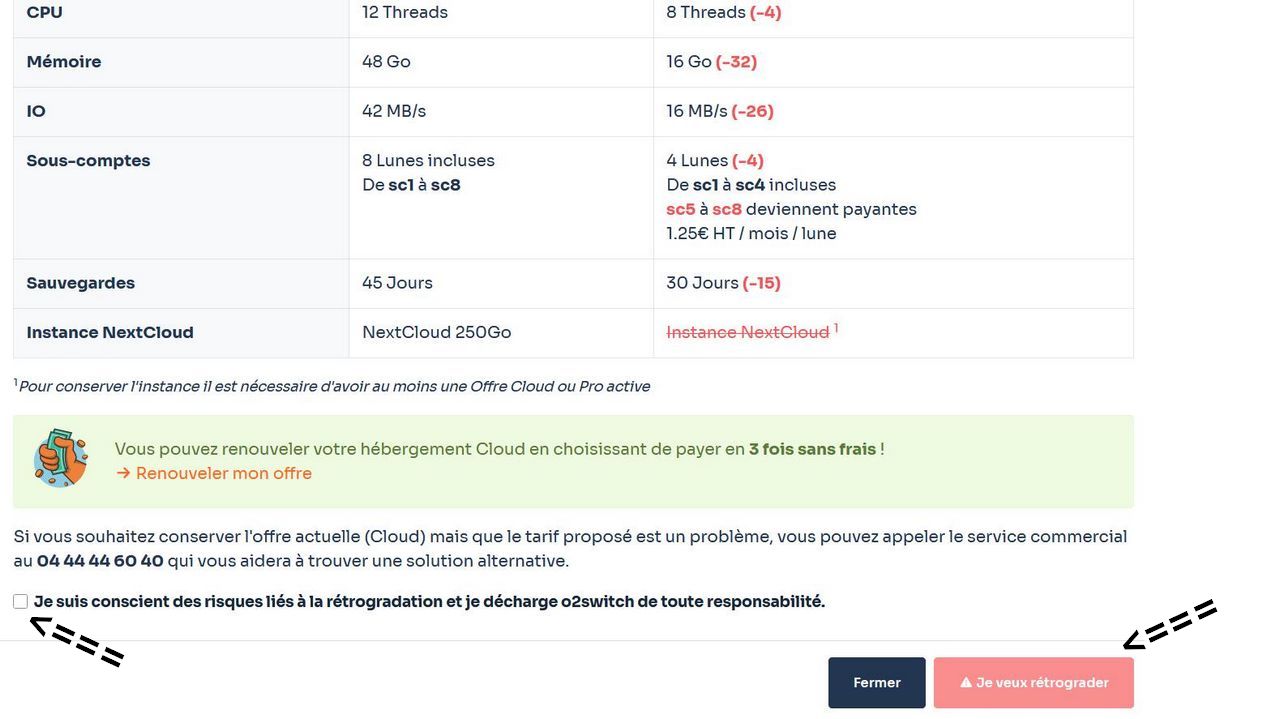
On these screenshots, you have the full Grow offer options with the minuses compared with your current offer.
You need to tick the last line ‘I am aware...’ and then click on the ‘I want to downgrade’ button.
Tutorial by Papinou and linuxmr - June 2025 - CeCILL Free License
Closing forum posts
By clicking on this icon, in the Data Administration tab :  you will be taken to the page for closing posts that have exceeded an opening time limit .
The delay is set in Config/services Services => Links - Guestbook - Forum
Closing forum posts :
A list of forum posts for which the deadline has passed.
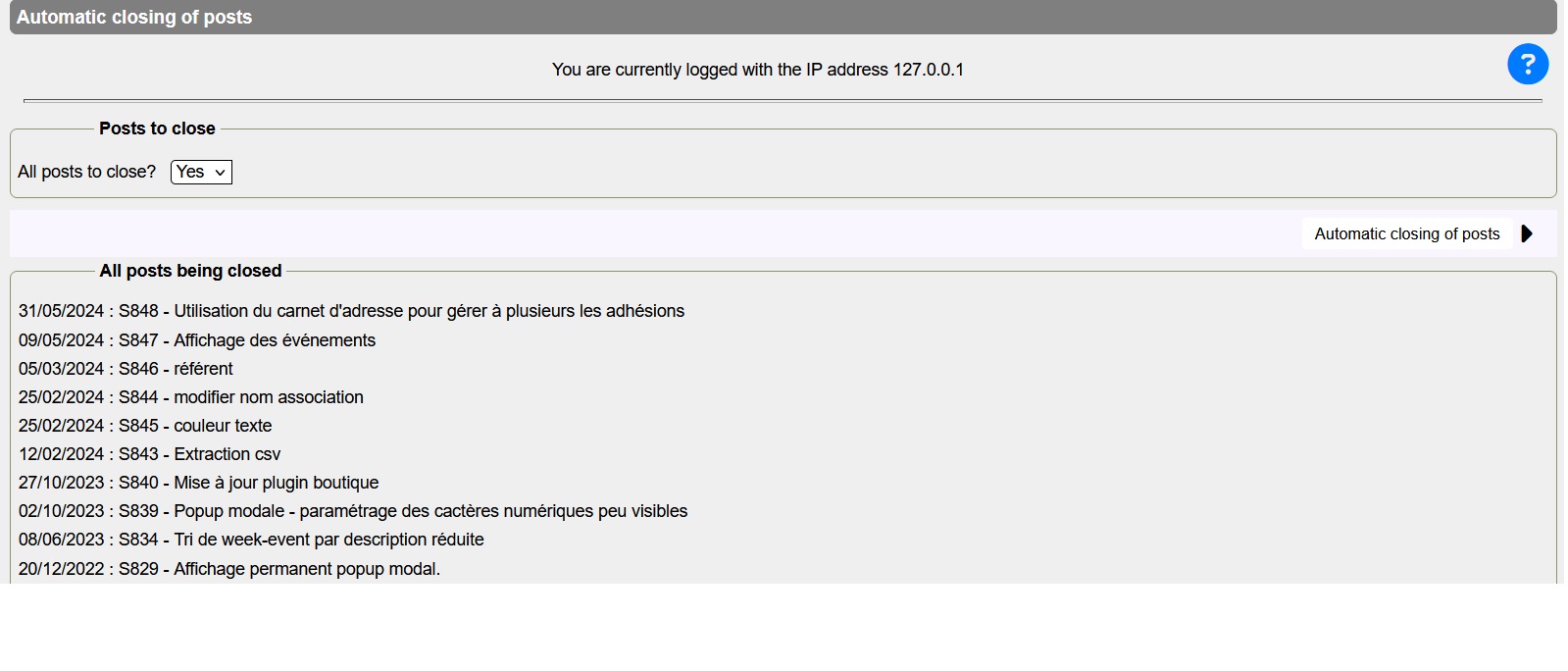
All posts will be closed once you have set validation to yes and clicked the ‘Close posts’ button (see second screen).
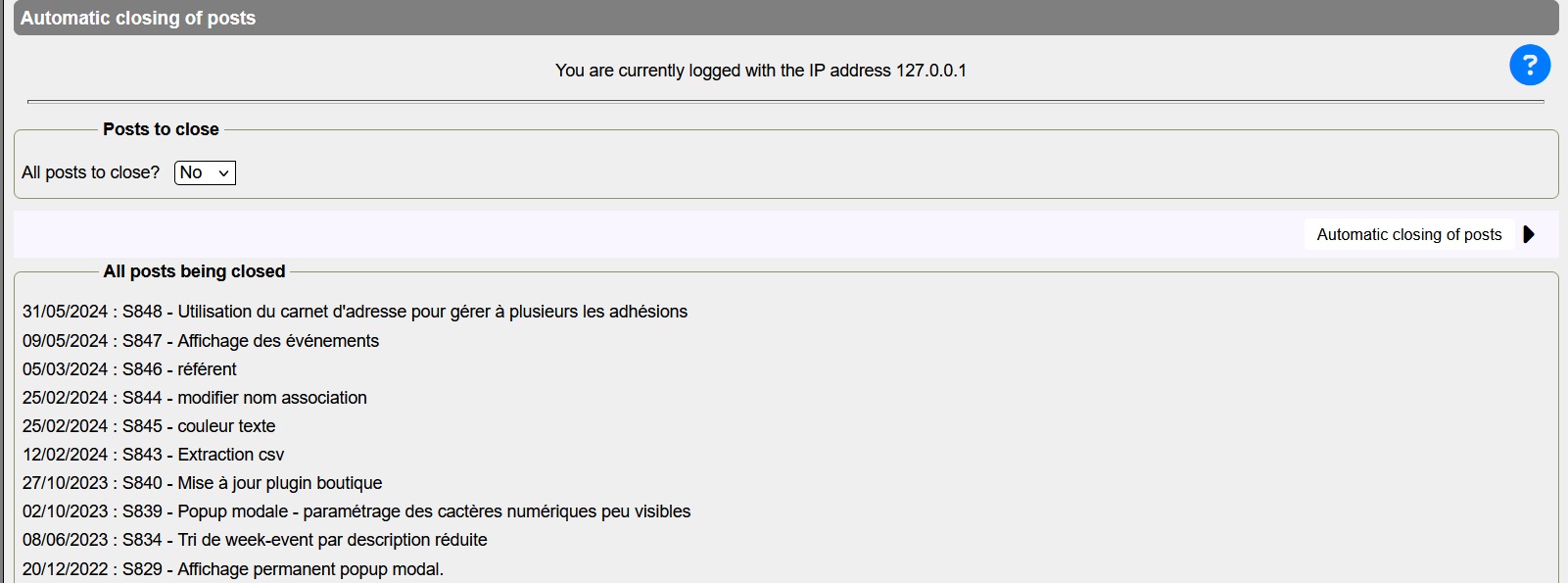
C'est sur cette page que vous avez la liste des posts clôturés
Liens connexes
IP counters for banned sites
Clicking this icon  in Admin>General management will allow you to see IP counter.
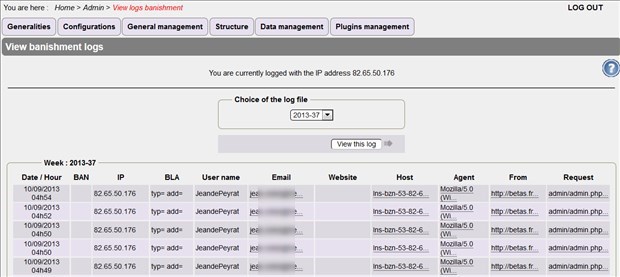
You can:
- have a view of the counters of IP addresses of banned sites by choosing the week
- sort by date or ip address or by ascending or descending number of counters
- allows you to adjust the threshold for the banned sites counter see Ban settings
Related links
Banishment parameters
In the general administration tab, clicking this icon  will allow you to choose and modify banishment parameters.
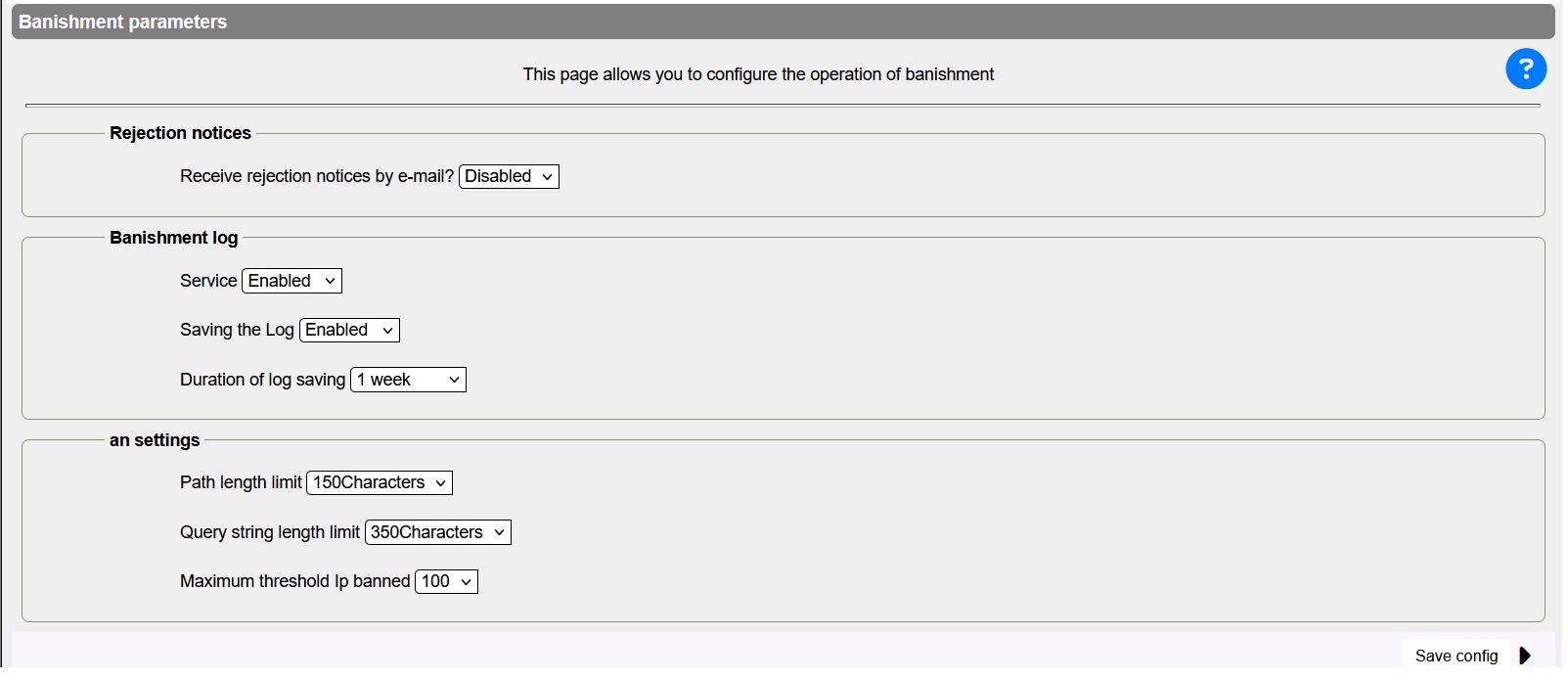
You can:
- Receive rejection emails
- Activate or deactivate this service
- Activate or deactivate the banishment log backup.
- Choose the duration of banishment log backup session
- Set Pathinfo length (Folder name(s) and Script name)
- Set the length of arguments beginning with ? and & for the rest of the arguments
- Set the threshold for site connection attempts
- Above this threshold, access requests will be redirected to a Police site.
- Above this threshold, access requests will be redirected to a Police site.
Related links
Last import : 19/03/2026 @ 16:42




